Your money.
Every currency.
One number.
Most budgeting apps quietly assume everything you own sits in one currency. WiseWallee doesn't. Keep a wallet in each currency you actually hold, let daily rates convert them, and see one honest total worth — then budget what's left.
Free forever plan · No card required · 154 currencies
154
currencies supported
Daily
exchange-rate refresh
Unlimited
transactions, free plan too
$0
to start, no card
The problem
“So how much do I actually have?”
If you earn in one country and spend in another, keep cash for trips, or hold a card in a second currency, that question takes a calculator and three browser tabs to answer — and the answer is stale by the next morning.
WiseWallee keeps each wallet in its own currency, converts every one of them into your main currency using rates refreshed every day, and adds them into a single figure. The same discipline then runs your budgets, your category breakdowns, and your trend over time.
Multi-currency
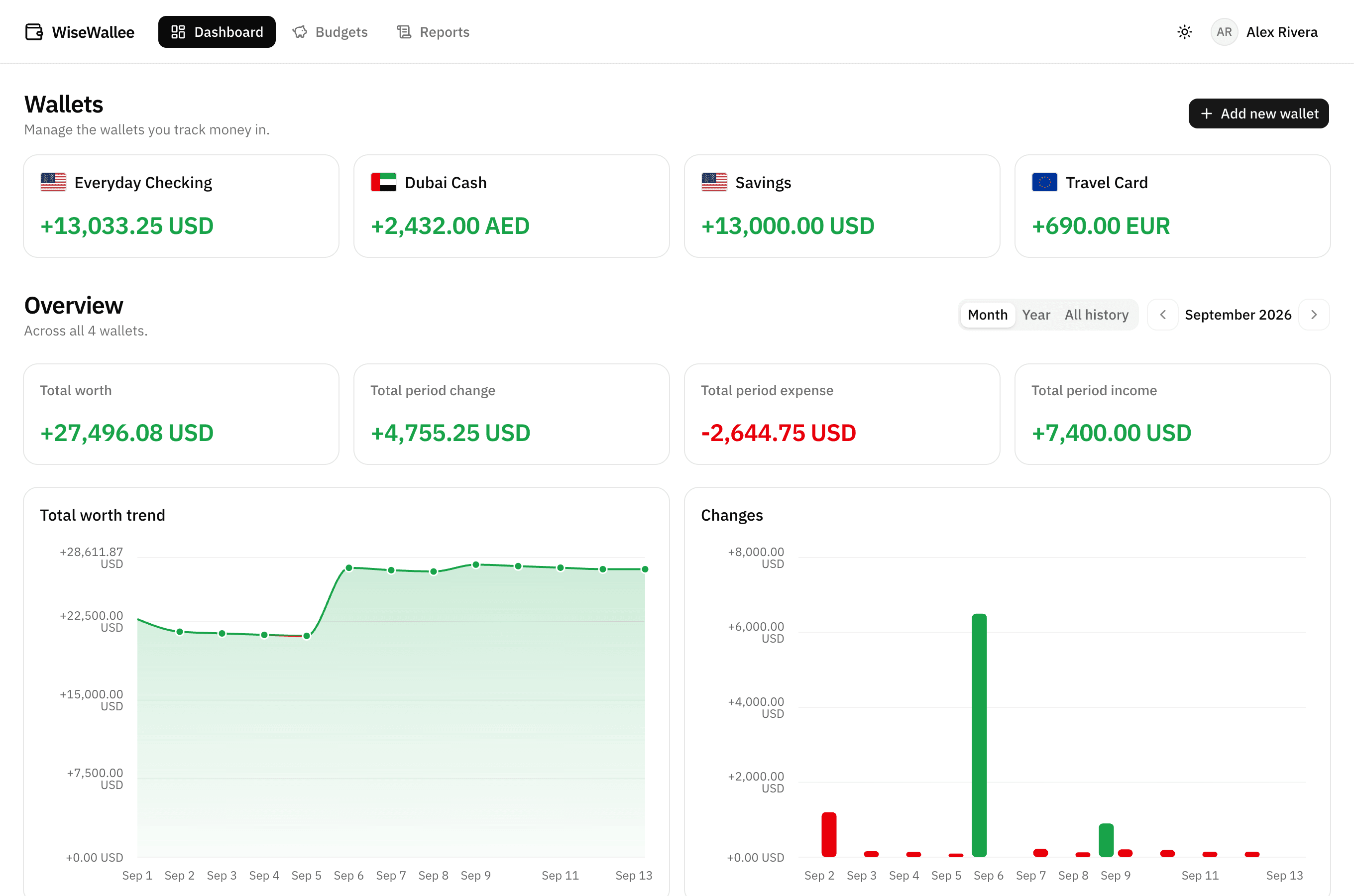
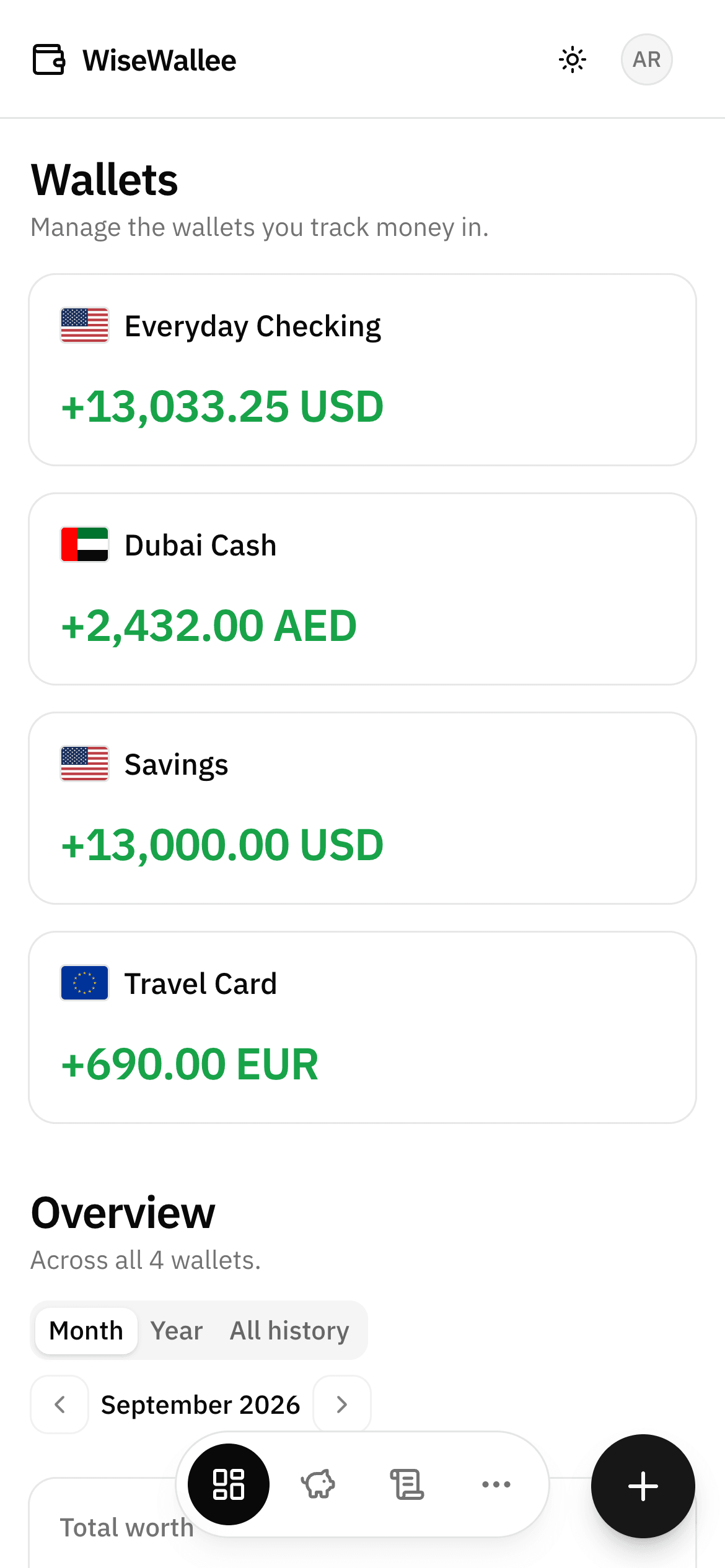
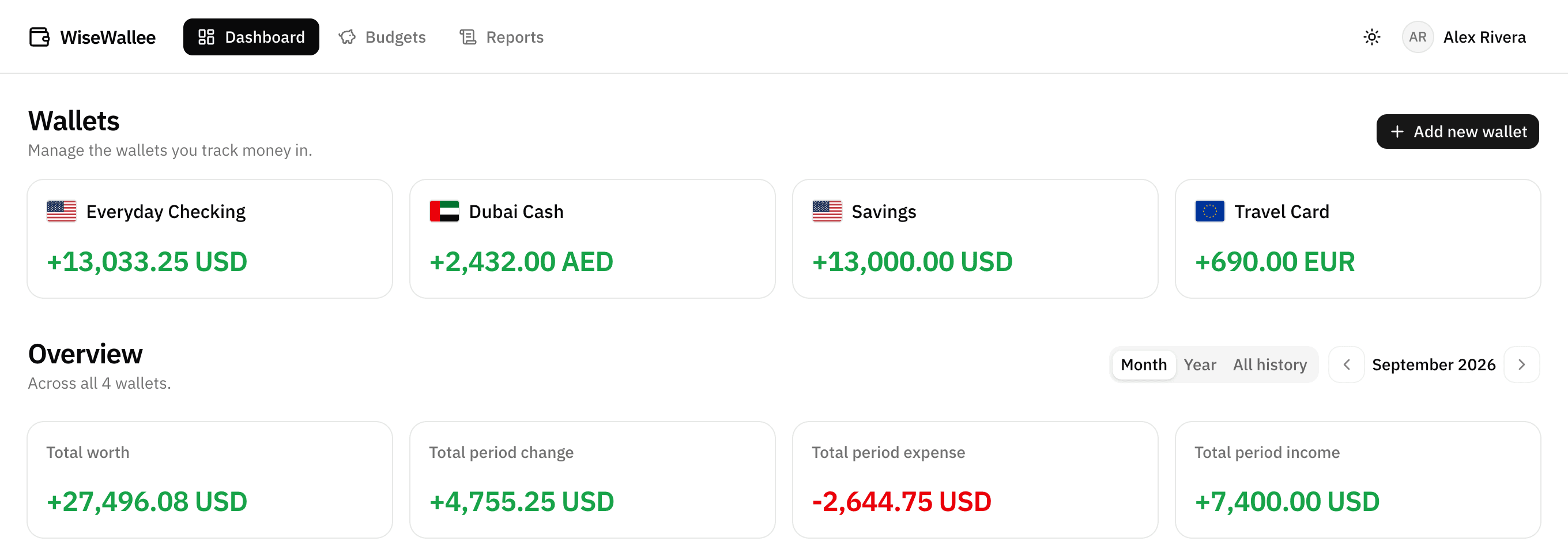
One number across every currency you hold
Each wallet keeps its own currency and its own balance. Your dashboard converts them all into your main currency before adding them up, so Total worth means what it says.
- 154 currencies, each paired with its country so it's quick to find
- Rates refreshed daily from a live provider — no manual upkeep
- Set your own rate per wallet as a fallback, so nothing is ever silently dropped
- Total worth and its trend chart always agree, down to the cent
Budgets
Budgets that speak up before payday does
Set a limit on a category, a wallet, or a handful of both, on whatever cycle matches your life. The progress bar shifts to amber at 80% and red once you're over, so you find out early rather than at the end of the month.
- Daily, weekly, biweekly, monthly, yearly, or a one-off
- Scope a budget to one category or several, across one wallet or many
- Live progress with an amber warning at 80% and an over-budget flag
- Browse any past period to see how that month actually went

Insights
Charts that answer the question you asked
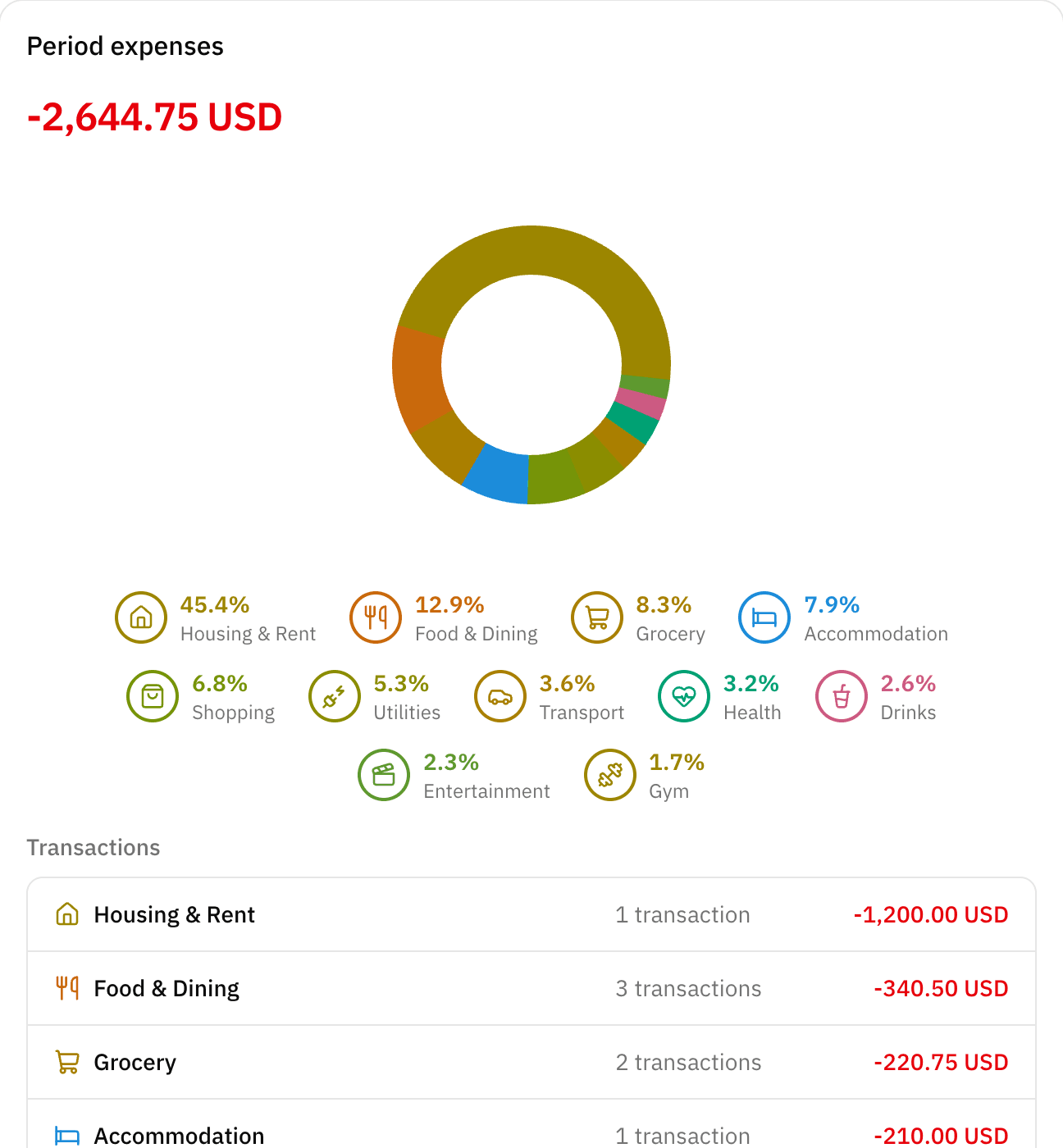
A running total worth trend, income against expense day by day, and a category breakdown that tells you where it actually went — colour-coded so the biggest slice names itself before you read the legend.
- Total worth trend across every wallet, converted and combined
- Income vs. expense per day, so spikes are obvious
- Category donuts where every category keeps the same colour it has everywhere else
- Step month by month or year by year, or take in all of it at once
- Reports pull every wallet into one searchable, filterable list
Transactions
Every transaction, filed where you'd look for it
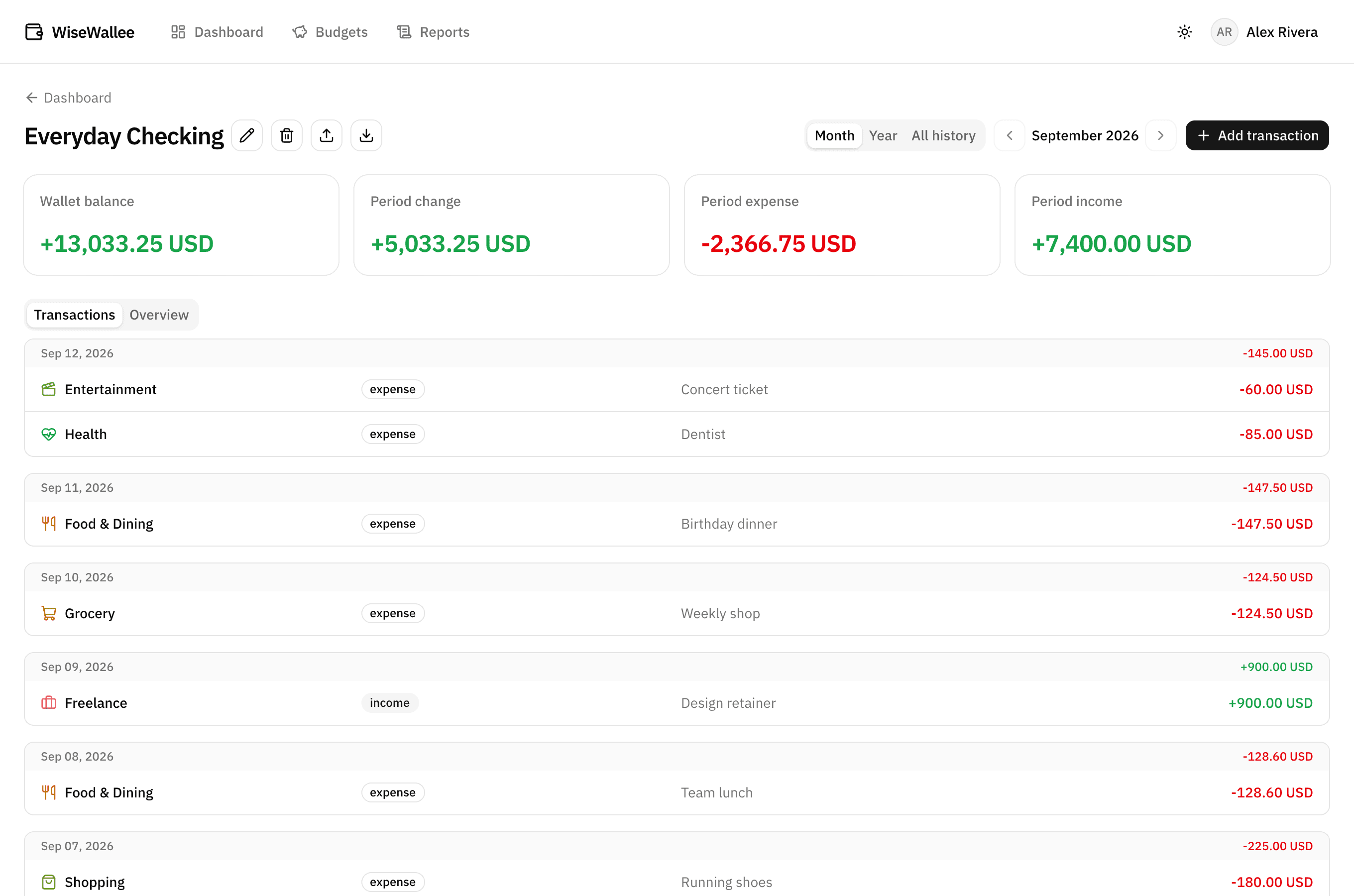
Log income and expenses in seconds, each with a category, a note, and a date. Forty-one categories ship ready to use, every one with its own icon and its own colour — and you can rename, add, or retire them freely.
- Income and expense, per wallet, grouped by day with daily totals
- 41 starter categories, each with a distinct icon and colour, fully editable
- Notes on anything you'll want to recognise again in six months
- Import a CSV or PDF bank/e-wallet statement, review it, then save — or CSV export to take your history out
Everywhere you are
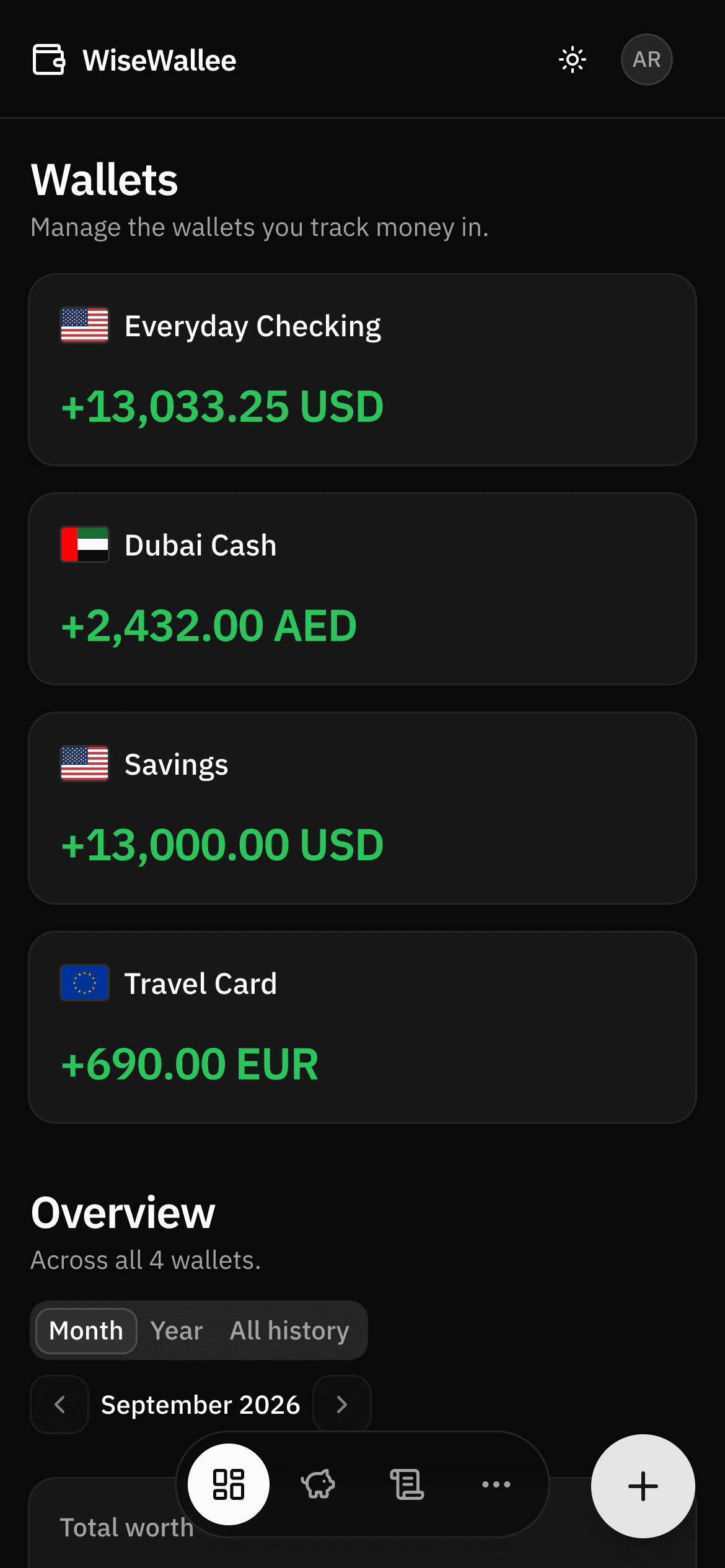
Built for a phone screen and a dark room
The same account, equally at home on a laptop at your desk and a phone on the train — with a light and dark theme that follows whatever your system is already doing.
- A floating add button and bottom tab bar sized for one thumb
- Light and dark themes, or just follow the system
- Nothing to install — it's the browser you already have open
Everything included
What you get, from the first minute. No tier chart to study first — almost all of it is on the free plan.
Wallets
Keep separate wallets for everyday spending, savings, or cash you only touch abroad — each in its own currency, with its own running balance.
Budgets
Set a limit per category or wallet on whatever schedule fits — one-off, daily, weekly, biweekly, monthly, yearly — and watch the bar turn amber before you go over.
Unlimited transactions
Log every expense and paycheck without ever hitting a cap, on the free plan included.
Every currency
154 of them, with rates that refresh daily — so however many currencies you hold, your worth stays one honest number.
Dashboard & insights
Total worth trend, income against expense, and category breakdowns — filtered to any period you pick.
Reports
Step month by month through every wallet at once, filtered by type or category, searchable by note or amount.
CSV export & statement import
Import a CSV or PDF bank/e-wallet statement into any wallet — review what the app found before it's saved — and take everything with you as CSV whenever you want.
Light & dark
A quiet, distraction-free interface that follows your system on phone and desktop alike.
How it works
Three steps, about five minutes
01
Create your free account
Email and a password. No card, no trial timer, nothing to cancel later.
02
Add a wallet
Name it, pick its currency from 154 options, and enter what it already holds. If it isn't your main currency, WiseWallee fills in today's rate for you.
03
Log what moves
Add income and expenses as they happen, or import a CSV. The dashboard updates the moment you do.
Pricing
Start free. Upgrade only if you outgrow it. Basic is a real plan, not a trial — Pro is for when one wallet and one budget stop being enough.
Basic
Start hereFor everyday personal budgeting.
Free forever
- 1 wallet
- 1 budget
- Unlimited transactions
- Any of 154 currencies
- Dashboard, charts & category breakdowns
- Reports with filters & search
- Light & dark theme
- CSV export & CSV/PDF statement import
- Early access to new features
Pro
RecommendedFor tracking multiple accounts or budgets at once.
$3.99 / month
or $29.99 / year — save 37%
- Unlimited wallets
- Unlimited budgets
- Unlimited transactions
- Multi-currency, converted daily into one total
- Dashboard, charts & category breakdowns
- Reports with filters & search
- Light & dark theme
- CSV export & CSV/PDF statement import
- Early access to new features
Sign up free first, then request Pro from Settings → Subscription.
Billing isn't connected yet — Pro is applied by hand when you request it from inside the app, and no payment is collected either way until real billing is wired up.
Questions
Before you sign up
- Is it actually free?
- Yes. The Basic plan is free forever and includes one wallet, one budget, unlimited transactions, the full dashboard and reports, and both themes. No card is collected to sign up.
- How does the multi-currency conversion work?
- Every wallet keeps its own currency. Exchange rates are refreshed once a day from a live rate provider, and your dashboard converts each wallet into your main currency before adding them up — so Total worth is one honest number rather than a pile of mismatched ones.
- What if a currency isn't covered by the daily rates?
- You set that wallet's rate yourself when you create it, and WiseWallee falls back to your rate whenever the daily one doesn't cover the pair. You're never left with a number that silently ignores a wallet.
- How do I get Pro?
- Sign up on the free plan first, then open Settings → Subscription and request the upgrade. Billing isn't wired up yet, so the request goes to us and we apply it manually — no payment is collected either way in the meantime.
- Can I get my data out?
- Yes — Pro includes CSV export from any wallet, and import from a CSV file or a PDF bank/e-wallet statement, with a review step before anything is saved.
- Do I need to install anything?
- No. WiseWallee runs in the browser and is built for phone and desktop equally — a floating add button and bottom tab bar on mobile, a full dashboard on a big screen.
Start with one wallet. See where it goes.
Free forever, no card, and your first total worth figure about a minute after you sign up.